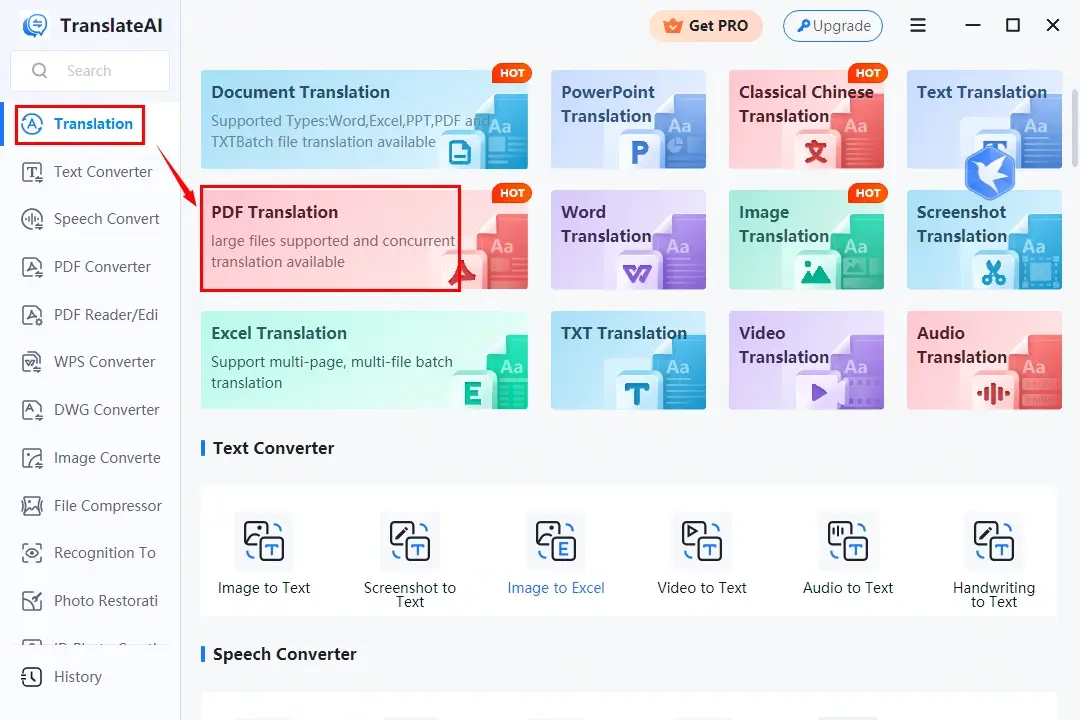
The Challenges of Translating Large PDF Files
Large PDF files demand specialized processing workflows due to several factors:
- File Size and Memory Limits: Many basic translation services cap file uploads at 5MB or 10MB, causing upload failures for image-heavy documents.
- Page Count Constraints: Standard translators may restrict processing to only a few pages per request.
- Layout Distortions: Translating vast amounts of text can expand line counts, causing overlapping text boxes and misplaced page breaks.
- Processing Speed Bottlenecks: Desktop software without cloud integration can take considerable time to parse and rebuild extensive PDF structures.
To translate your documents quickly through high-speed browser-based cloud processing, try our online /translate-pdf tool.
Step-by-Step: How to Translate Large PDF Documents Online
Fast web-based document translation allows you to process multi-page PDFs directly inside your browser without installing heavy software suites.
Step 1: Optimize File Size Before Uploading
If your large PDF contains high-resolution graphic assets, consider compressing the document slightly before translation. Reducing raw file size accelerates upload times and speeds up cloud parsing.
Step 2: Upload Your File to the Translation Tool
Navigate to our online /translate-pdf tool. Drag and drop your large PDF file into the upload zone, or select it directly from your device storage or cloud drives.
Step 3: Configure Language and Layout Parameters
Select your document's original language (or use auto-detection) and choose your target language. Select Keep Layout to ensure multi-column grids, embedded charts, and image overlays remain in place.
Step 4: Process and Download Your Translated PDF
Click Translate PDF. Advanced cloud processing renders your translated document in seconds. Once complete, click Download File to save your new PDF.
Alternative Solutions for Processing High-Volume PDFs
Depending on your workflow preferences, several alternative methods exist for processing large files:
Method 1: Split the PDF into Smaller Sections
If a document exceeds specific tool limits, use a PDF splitter to divide the file into logical chapters or page ranges (e.g., Pages 1–25, Pages 26–50). Translate each file individually, then merge the completed translations back together.
Method 2: Convert to Editable Formats Pre-Translation
For documents requiring heavy manual editing, convert the PDF into a Word (.docx) file first. Run automated document translation on the text file, adjust formatting as needed, and export the finalized result back to PDF.
Method 3: Use Cloud Design and Publishing Engines
Visual design platforms with built-in translation plugins allow users to translate entire multi-page presentations or brochures directly on an interactive canvas, enabling real-time adjustments to text box sizes and font placement.
Practical Tips for Maximizing Translation Speed and Accuracy
To achieve the fastest processing speeds and highest visual accuracy when translating large PDFs, follow these best practices:
- Ensure Selectable Vector Text: Make sure the source document contains real selectable text rather than raw page photos. For scanned files, run Optical Character Recognition (OCR) prior to translation.
- Pre-compress High-Resolution Images: Lowering background image resolutions reduces total byte size while maintaining text readability, speeding up network transfers.
- Review Technical and Industry Jargon: For specialized medical, legal, or engineering reports, utilize custom glossaries or perform a quick post-translation manual review to verify domain-specific terminology.
Frequently Asked Questions
Is there a page or size limit when translating large PDFs online?
While basic online tools impose strict limits, dedicated processors like /translate-pdf utilize cloud infrastructure designed to handle larger multi-page documents smoothly.
Will translating a large PDF mess up table alignment and charts?
Choosing layout-preserving translation modes ensures that structural elements—such as table grids, margins, captions, and graphic callouts—remain aligned with the translated text.
How safe are my confidential documents during online translation?
Reputable translation platforms employ end-to-end SSL/HTTPS encryption during transfer and purge processed files automatically from servers shortly after completion.
Conclusion
Translating large PDF documents quickly does not require complex software setups or manual re-keying. By utilizing browser-based translation tools like our free /translate-pdf tool, you can process extensive multi-page files in seconds while keeping all visual formatting perfectly intact. Upload your document today and break down language barriers instantly!
Ready to translate pdf?
Use our free online tool to process your files securely in high quality. No sign-up required.
Open translate pdf Tool